If you're going to the ISTE 2022 conference and you're interested in Augmented and Virtual Reality, there is definitely a lot to explore this summer! I've collected and sorted all of the AR and VR sessions happening at #ISTE22. Read on to learn more!
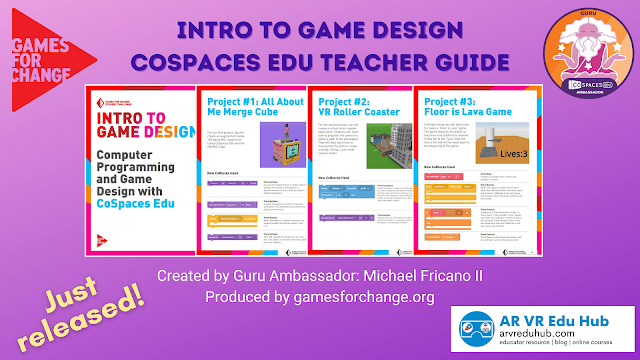
I recently partnered with Games for Change to create a Game Design Teacher Guide using CoSpaces Edu! CoSpaces Edu is a great classroom tool for teaching coding, game design, story telling, and more! It's also my favorite tool for augmented and virtual reality creation for my students. Continue reading to learning more about the guide and get free access!
If you're interested in all things related to using virtual reality (VR) in Kindergarten through Higher Ed classrooms then you'll want to participate in the Educators in VR 2020 International Summit, which will be held entirely in virtual reality! Read on to learn more!
Clear your calendar 📅 on November 8 & 9, 2019 for the online AR/VR in K-12 Education Virtual Summit! You won't want to miss these pre-recorded sessions from more than 35 presenters (including me!) from all over the world 🌏! Read on for all the details!
Thank you to Kimberly Mattina (@The_Tech_Lady) for having me on her podcast The Suite Talk! We talked about why Google Street View is a powerful VR tool for the classroom and how you can learn how to effectively use it with your students. Listen in and learn how you can get started with Google Street View!
Google Expeditions is a completed FREE Virtual Reality & Augmented Reality app for K-Higher Ed classrooms! It's one of my favorite AR & VR tools and it's one of my top choices for taking my students on immersive field trips! Dive in to this post for a video walkthrough, resources, and a free Lesson Planner template!
Watch the Video Walkthrough:
Let's Explore Google Expeditions
On September 15, 2019 I led a Facebook LIVE broadcast for the Virtual & Augmented Reality for EducationFacebook group. During this hour long broadcast I introduce Google Expeditions, share it's benefits to the classroom, give a walkthrough of a VR and AR Expedition experience, and share some resources and tips.
Watch the Recording of the Facebook LIVE Broadcast:
Get Your Copy of the FREE
Google Expeditions Lesson Planner!
When planning to use Google Expeditions in the classroom it's important to think beyond just using the tool for a fun and engaging experience. This lesson planner template will help you consider and plan for what you and your students will do before the expedition, during the expeditions, and after the expedition. In this lesson planner template you need to consider these three important things:
Before the Expedition: How will students access and build background knowledge to prepare for the expedition?
During the Expedition: How are students recording and processing what they learn from the expedition?
After the Expedition: How are students synthesizing and analyzing what they learn from the expedition?
Get Your FREE Copy of the Lesson Planner:
Important Resource for Google Expeditions
The most important resource for Google Expeditions in the OFFICIAL List of Available Expeditions. This is a Google Sheet that the Expeditions Team manages. They update this spreadsheet frequently with new AR and VR Expeditions.
Two Tips for using the spreadsheet:
Setup a Notification Email: In the spreadsheet go to Tools > Notifications Rules and set up a notification email to send you a digest email. In the settings of your notification choose "Any changes are made" and "Email - daily digest". When the Expeditions Team adds new expeditions to the spreadsheet you will automatically receive an email notification. This is the ONLY way to be notified of new expeditions.
Use Quick Search: To quickly find an expedition based on keywords use either Control +F or Command + F to open up the "Find in sheet" search box. Type in your keyword(s) to find an expedition that fits what you're looking for.